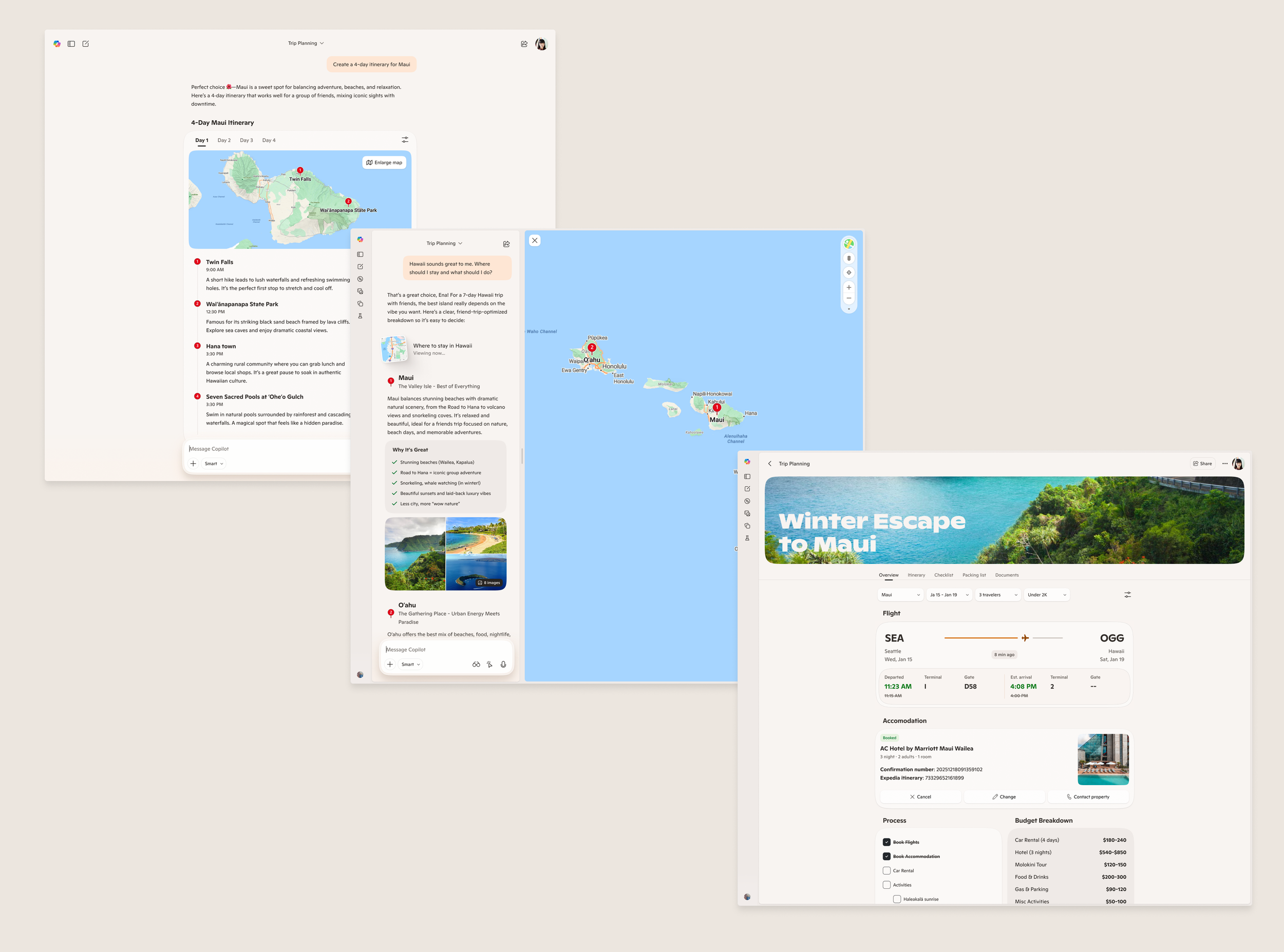
Generative UI
2025 · Microsoft NDA
Team: Microsoft AI Brand & Design Systems
Role: Creative Design Lead — UX/UI, Design Systems, Storytelling
What is Generative UI?
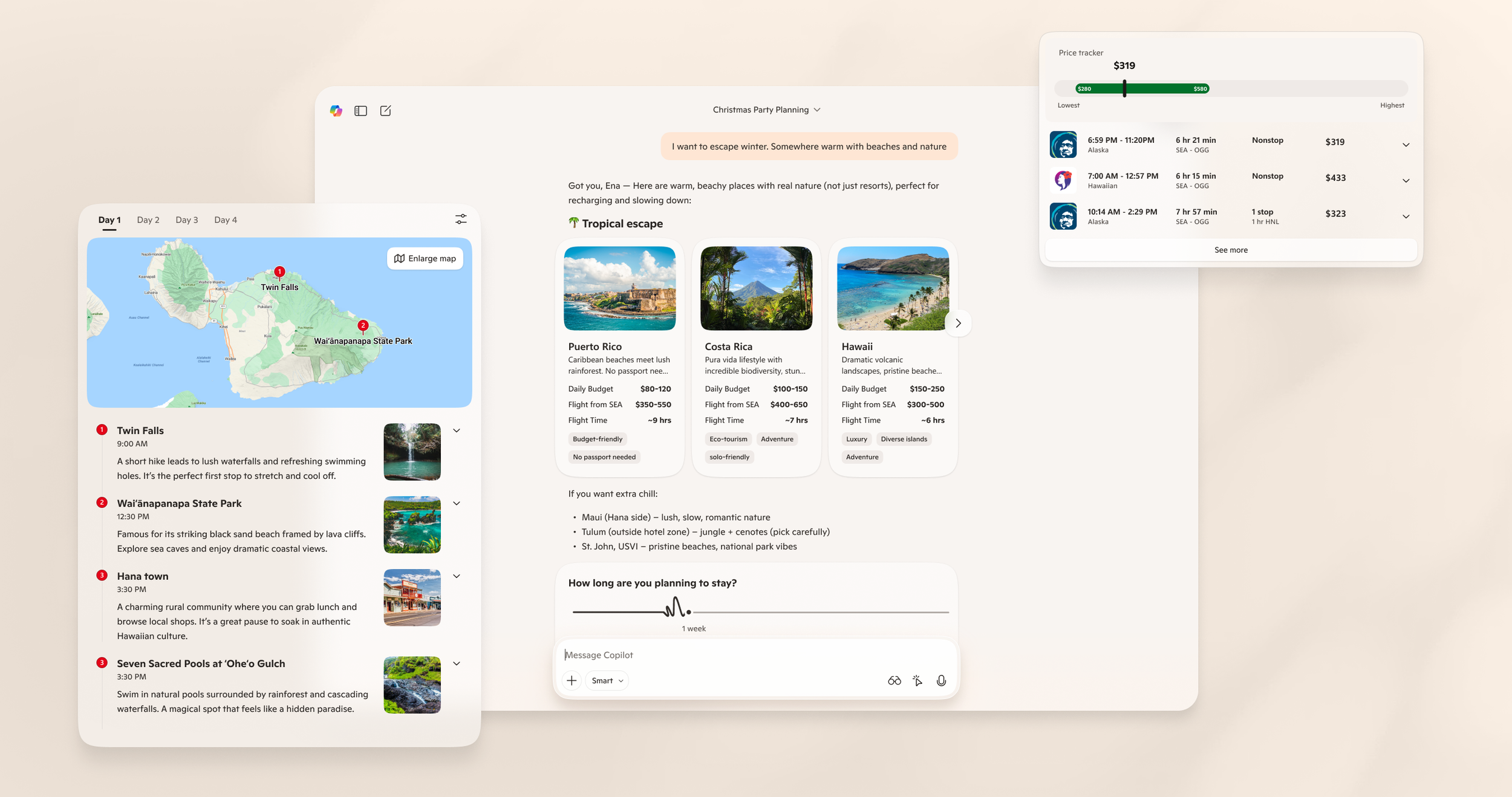
Generative UI is an adaptive interface that reconfigures itself in real time based on the user’s context—natural language input, past behavior, system data, and intent.
Instead of a static design that users must learn, the interface learns the user, assembling the most relevant layout, components, and interactions for the task at hand.
Why This Matters
For users
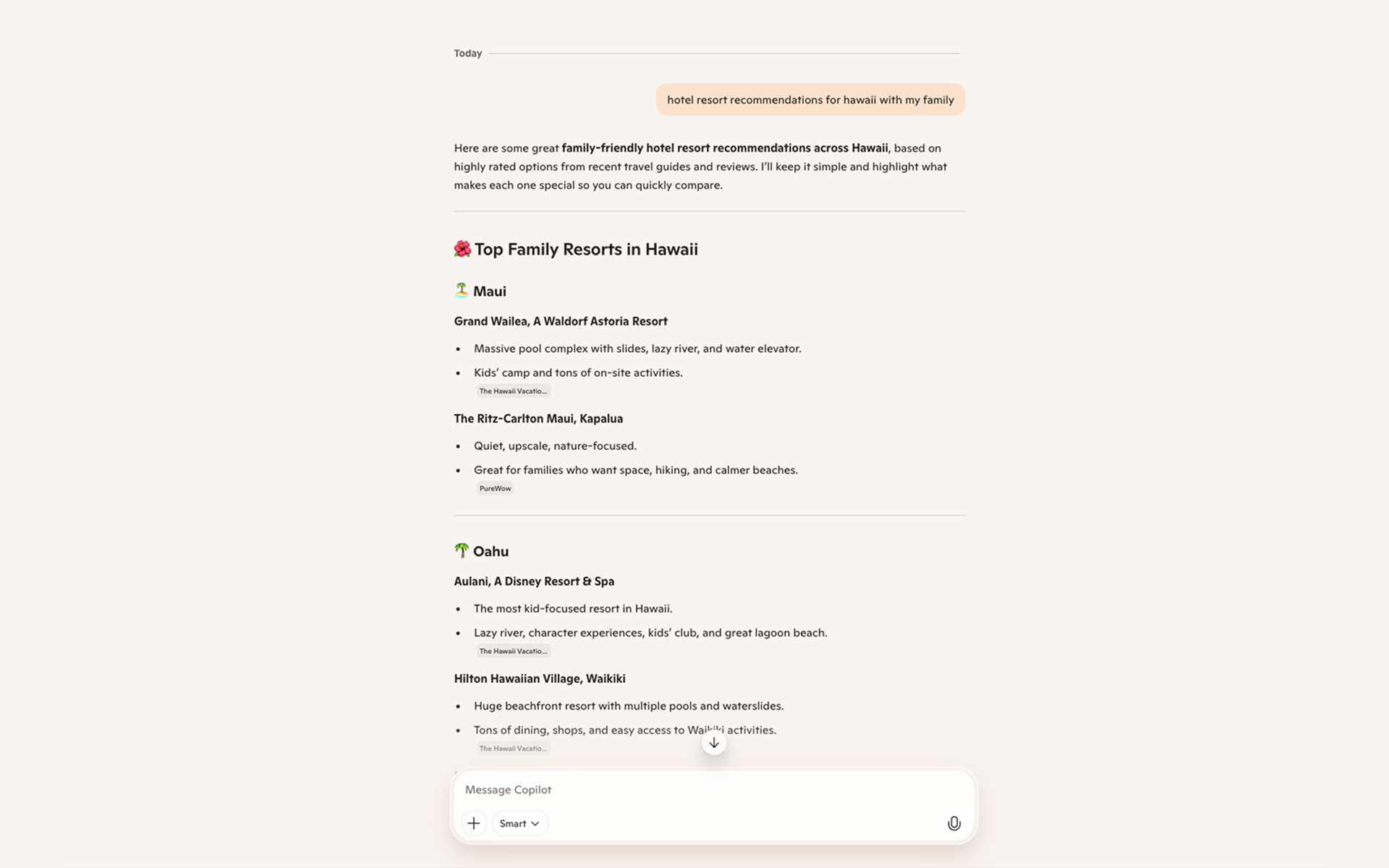
Today, Copilot’s responses are predominantly text-based—often slow to consume, limited in expression, and not interactive enough for task completion.
Generative UI transforms these outputs into actionable, visual, and dynamic experiences, helping users understand faster and do more with less effort.
For developers
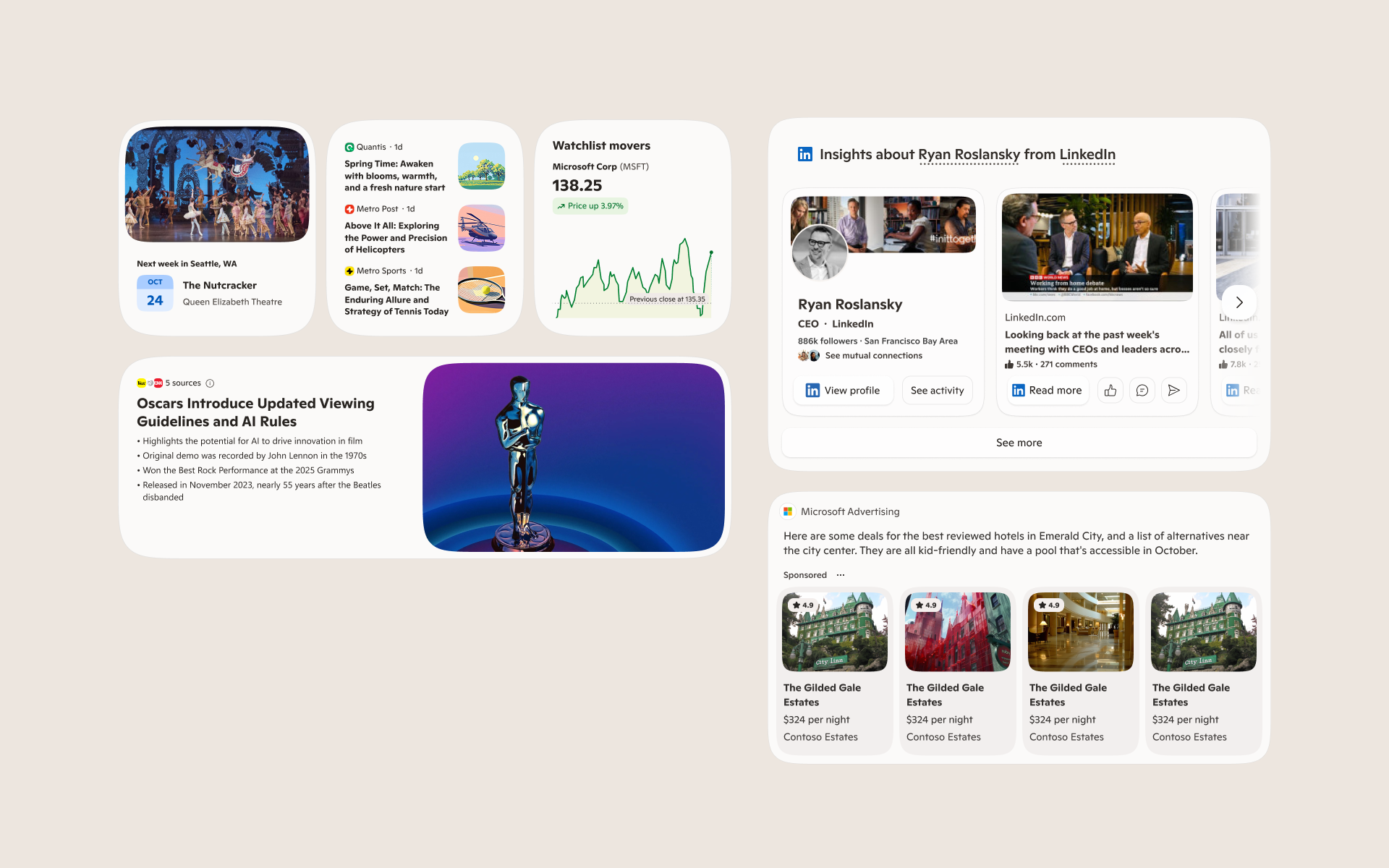
Copilot currently depends on hand-crafted Answer Cards to provide interactive UI. They are time-intensive to build, costly to scale, and difficult to maintain cohesively across many teams.
Generative UI introduces a new paradigm: build once, personalize infinitely—allowing teams to ship more consistent UI patterns that automatically adapt to diverse scenarios without manual reinvention.
Hypothesis
Generative UI that dynamically creates interfaces in real time—adapting to each user’s intent, context, and data—will outperform static, pre-built layouts and drive higher retention, activation, and perceived intelligence
How it works
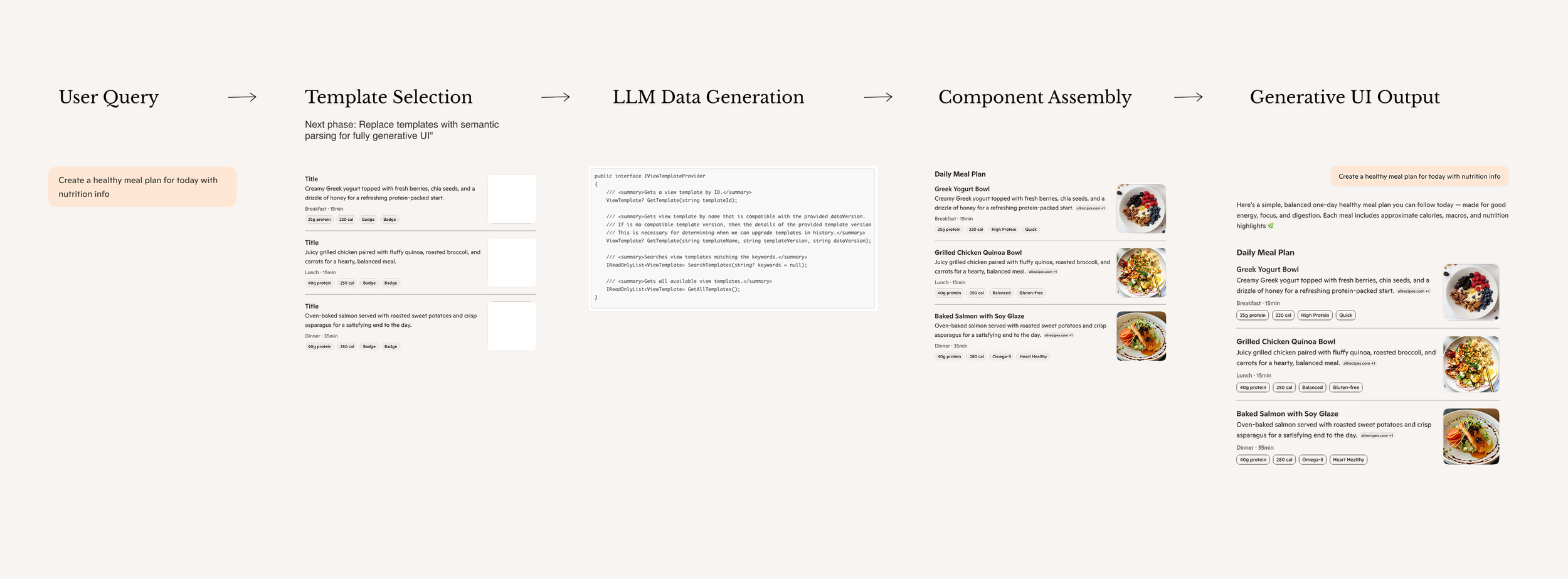
The current system uses a template-based approach: user queries trigger template selection, then the LLM generates data to populate the chosen template, and finally the system assembles and renders a functional interface combining the predefined structure with AI-generated content.
The future vision replaces templates with semantic parsing, allowing the AI to generate both UI structure and data from scratch for each query—creating fully adaptive, custom-designed interfaces without template constraints.
Design Process
01.
Ideate & Define Vision
Set the North Star by defining the ideal experience and the core problem to solve. This vision anchors every decision that follows—aligning teams around a shared understanding of impact, scope, and success.
02.
Map User Scenarios
Identify where users need visually rich, structured answers and how Generative UI can best support their tasks. Map key scenarios, contexts, edge cases, and variations the system must handle to perform reliably at scale.
03.
Build Design Foundation
Create the design system that becomes the AI’s building blocks—components, patterns, tokens, and compositional rules that ensure quality and consistency across generated experiences.
04.
Train the AI
Teach the system what quality looks like through curated examples and explicit design standards. Embed these guidelines into code so the AI knows when to use specific templates, structured layouts, or text-only responses based on intent and context.
05.
Test & Validate
Stress-test the system against real-world scenarios to uncover failures, validate quality, and measure effectiveness. Iterate on both design and implementation to refine hierarchy, layout, and production-level polish before launch.
06.
Evolve
Monitor live generation in production to catch edge cases and continuously improve performance. Evolve the system over time—scaling across surfaces, incorporating motion, and enabling more adaptive and personalized UI experiences
01. Ideate & Define Vision
We kicked off the project by envisioning how Generative UI could meaningfully improve users’ everyday tasks and address key pain points. The goal was to establish a clear North Star vision—one that validated our hypotheses and articulated an end-to-end user journey to guide design, product, and engineering alignment.
02. Map User Scenarios
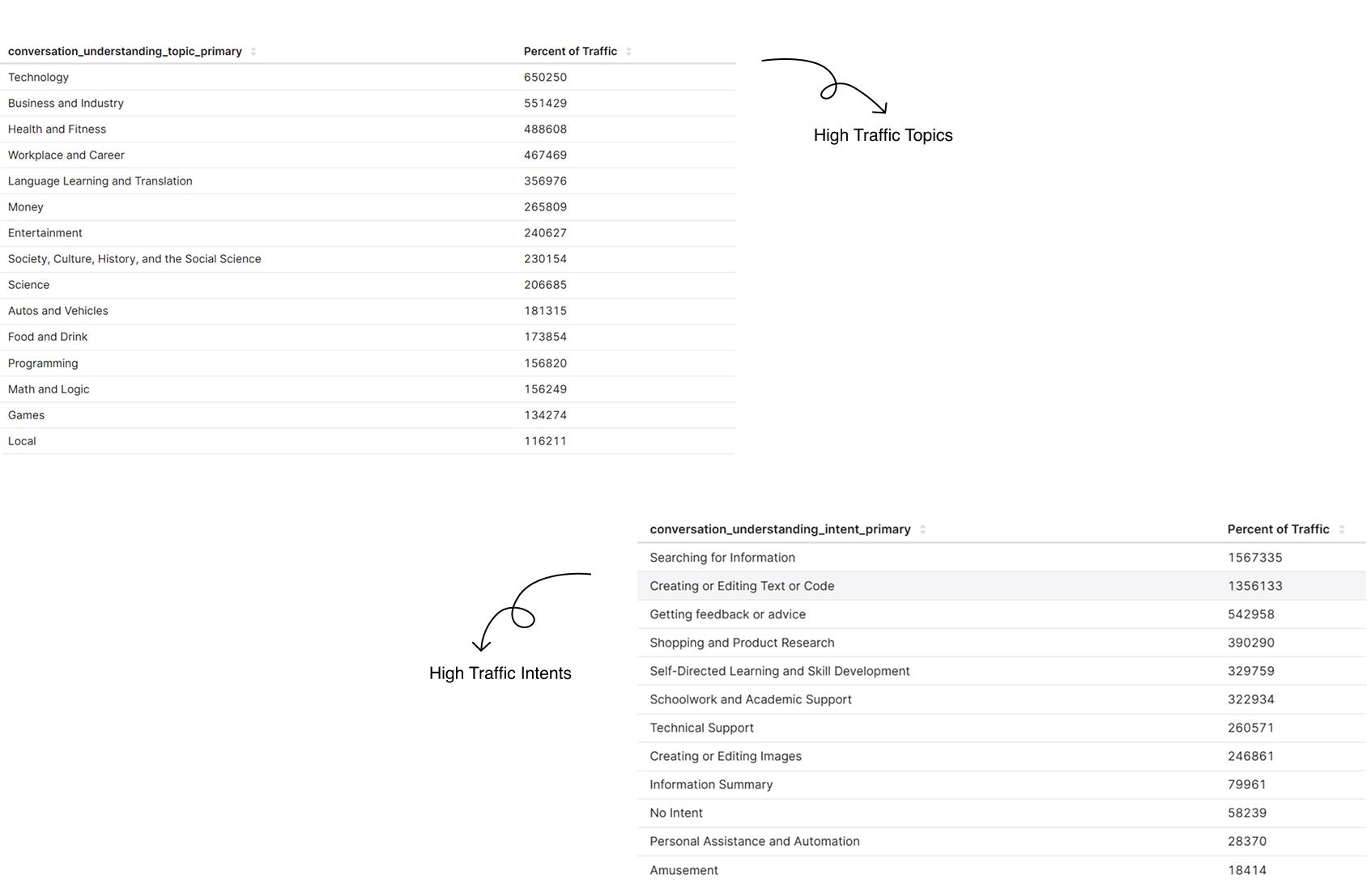
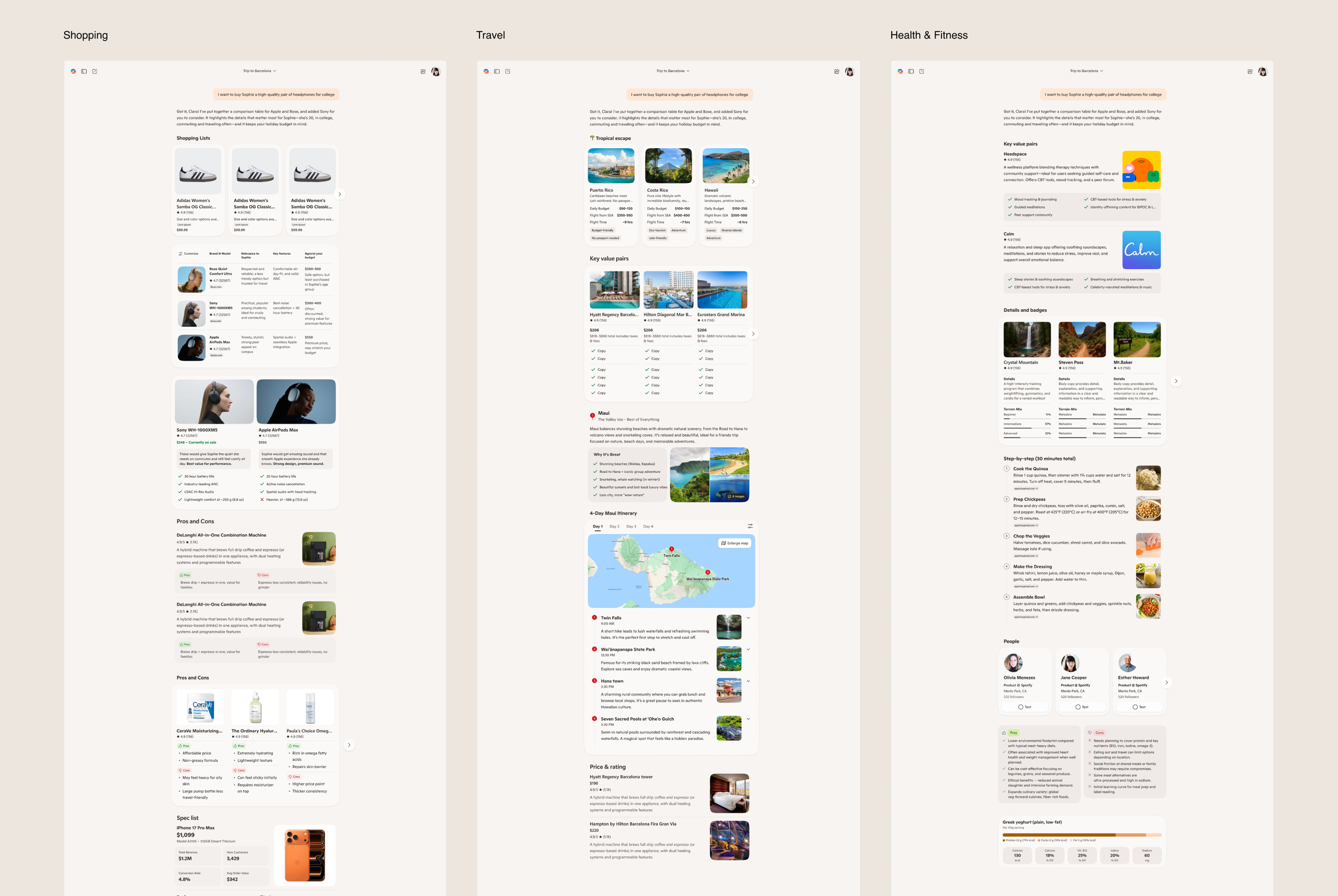
We identified high-traffic topics and user intents in Copilot, then analyzed SSR ratings to understand key pain points and deficiencies in answer quality. Using these insights, we created generative UI templates specifically designed for these topics and intents, enabling the AI to deliver more effective, visually rich responses that addressed the gaps we'd identified.
03. Build Design Foundation
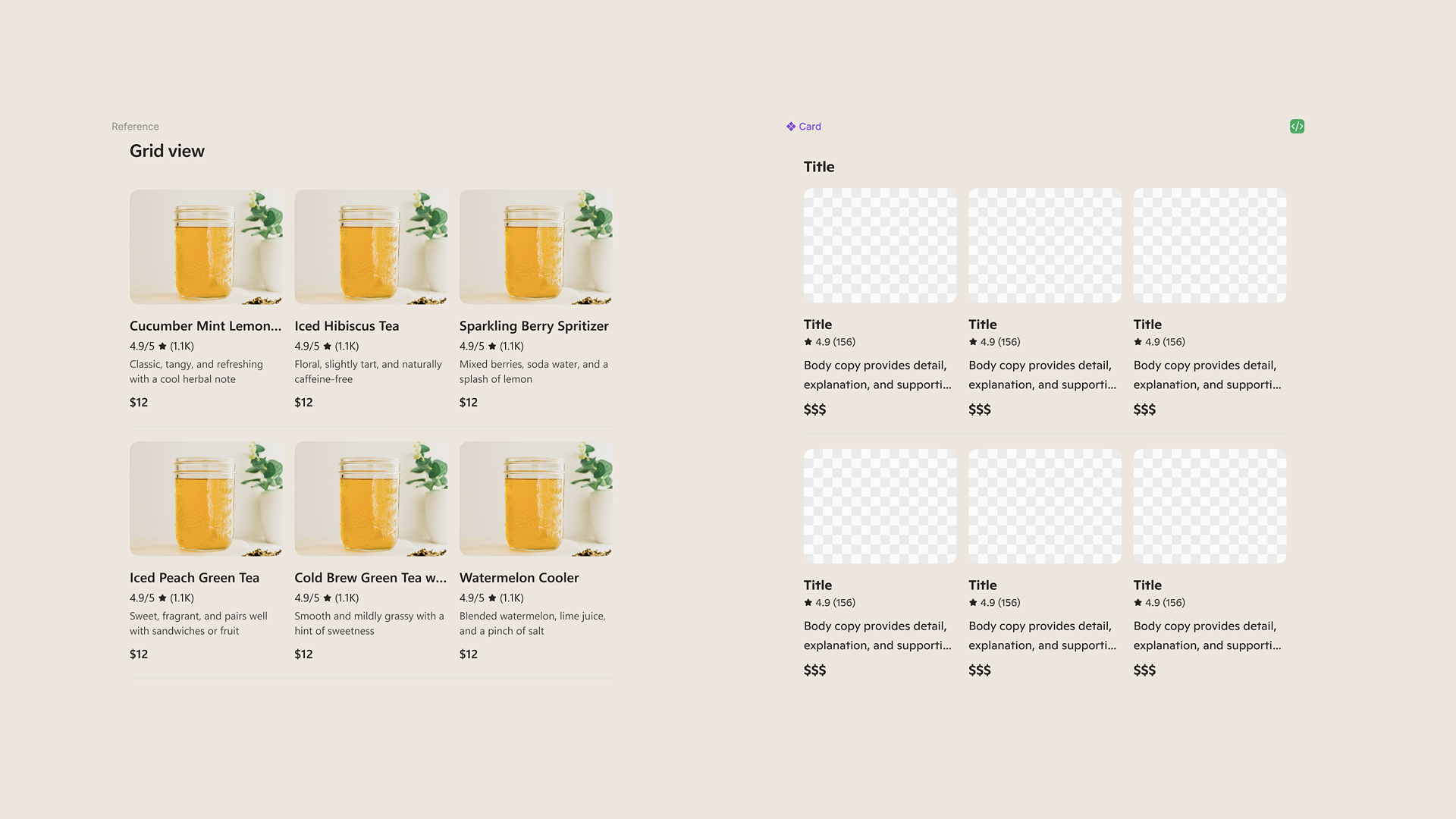
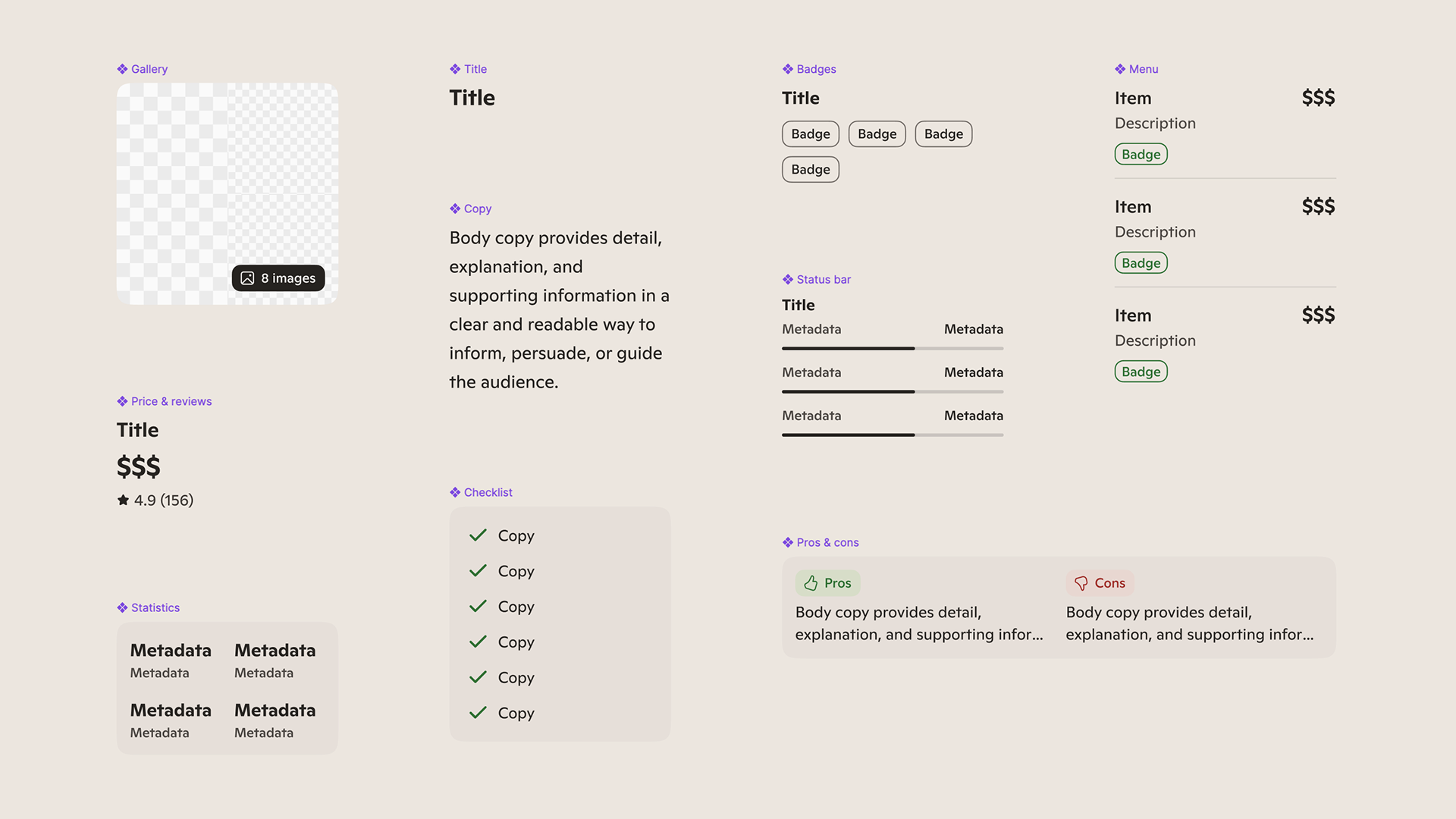
We established the design system that serves as the building blocks for AI-powered experiences—defining components, patterns, tokens, and compositional rules to ensure quality and consistency at scale.
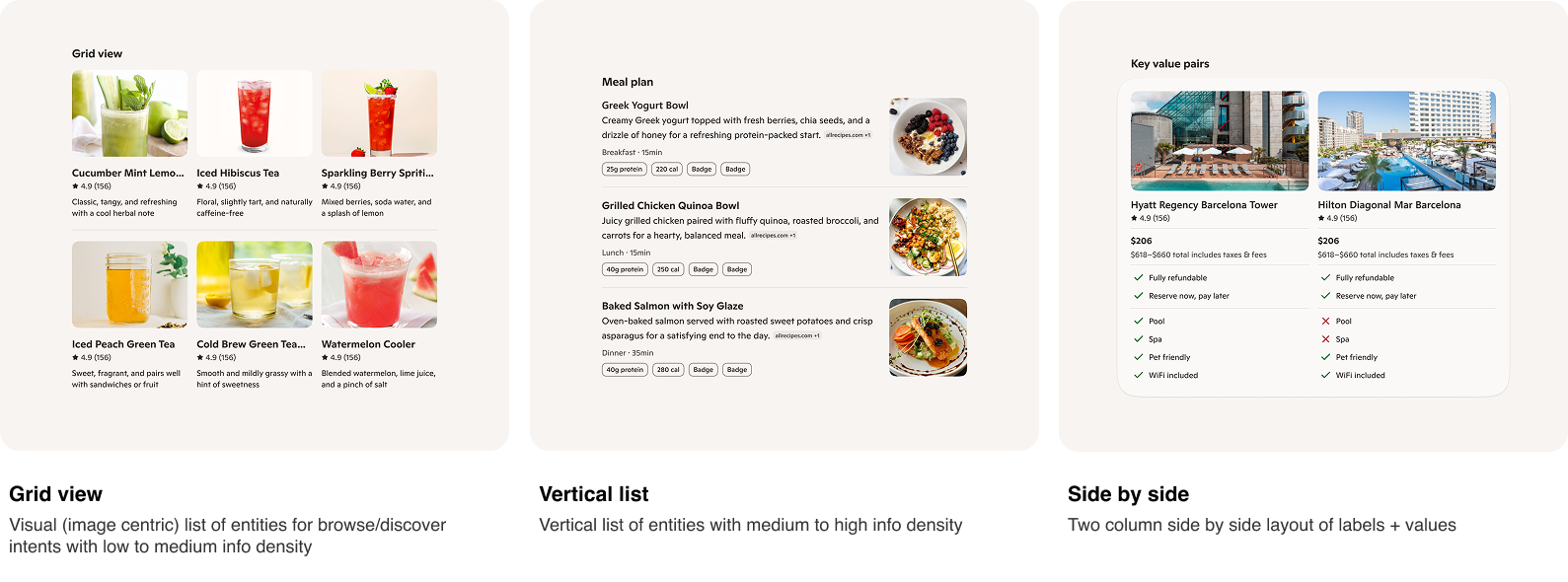
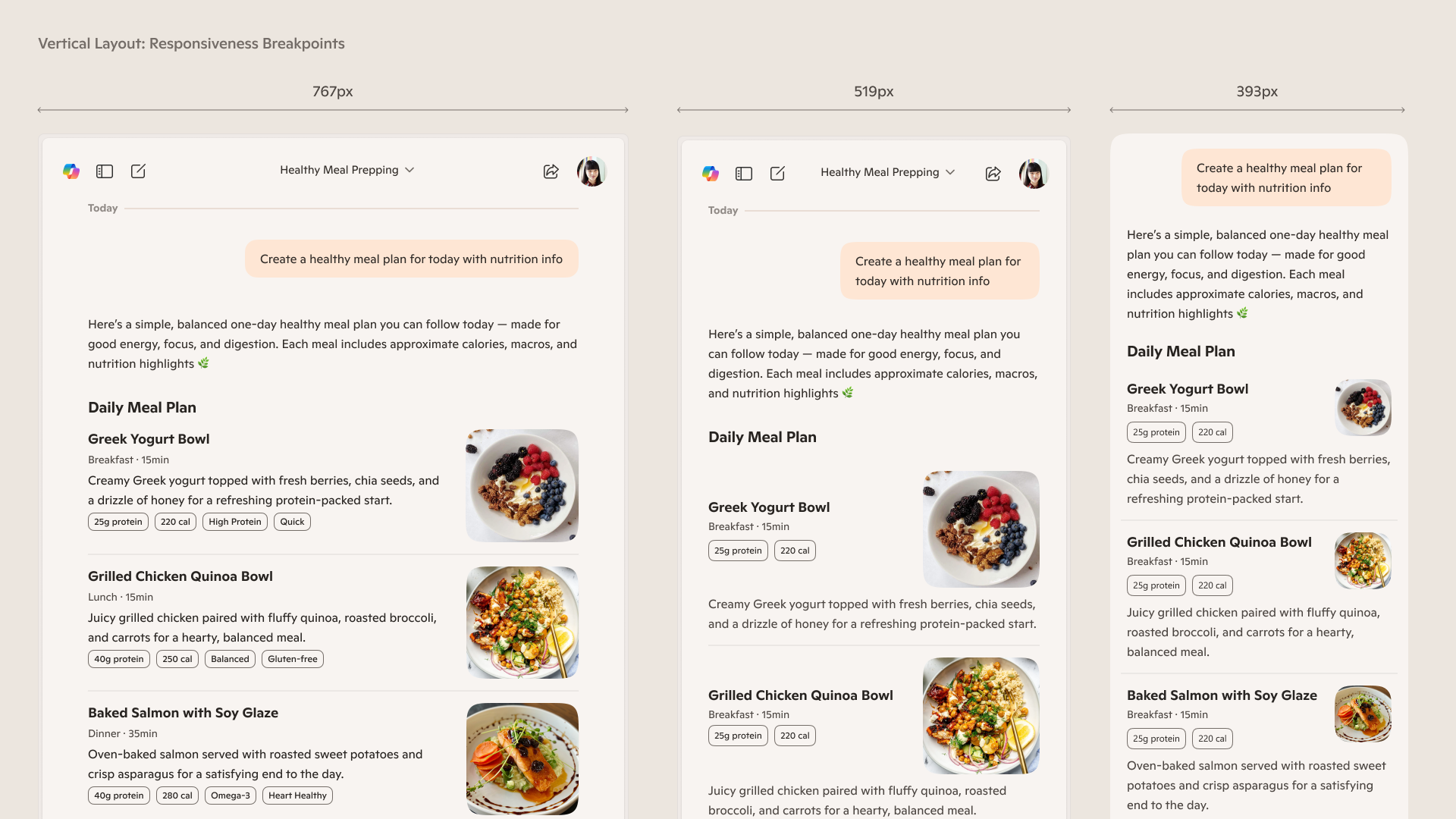
For the first MVP, we intentionally scoped the system to three foundational templates—Grid View, Vertical List, and Side-by-Side—and designed a complete component stack for each, from atomic elements through fully composed templates. This approach enabled rapid iteration while creating a scalable foundation for future AI-generated UI.
04. Train the AI
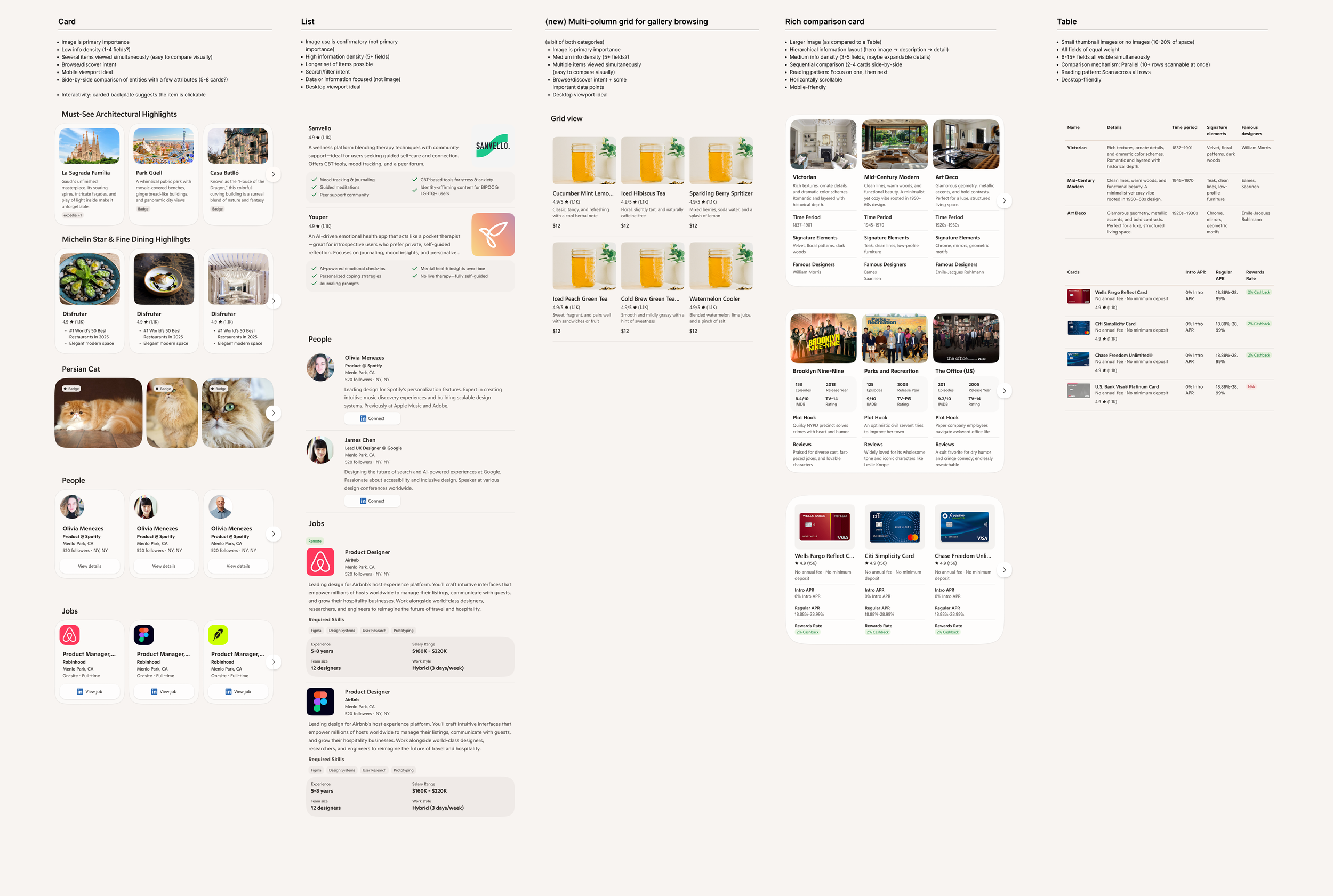
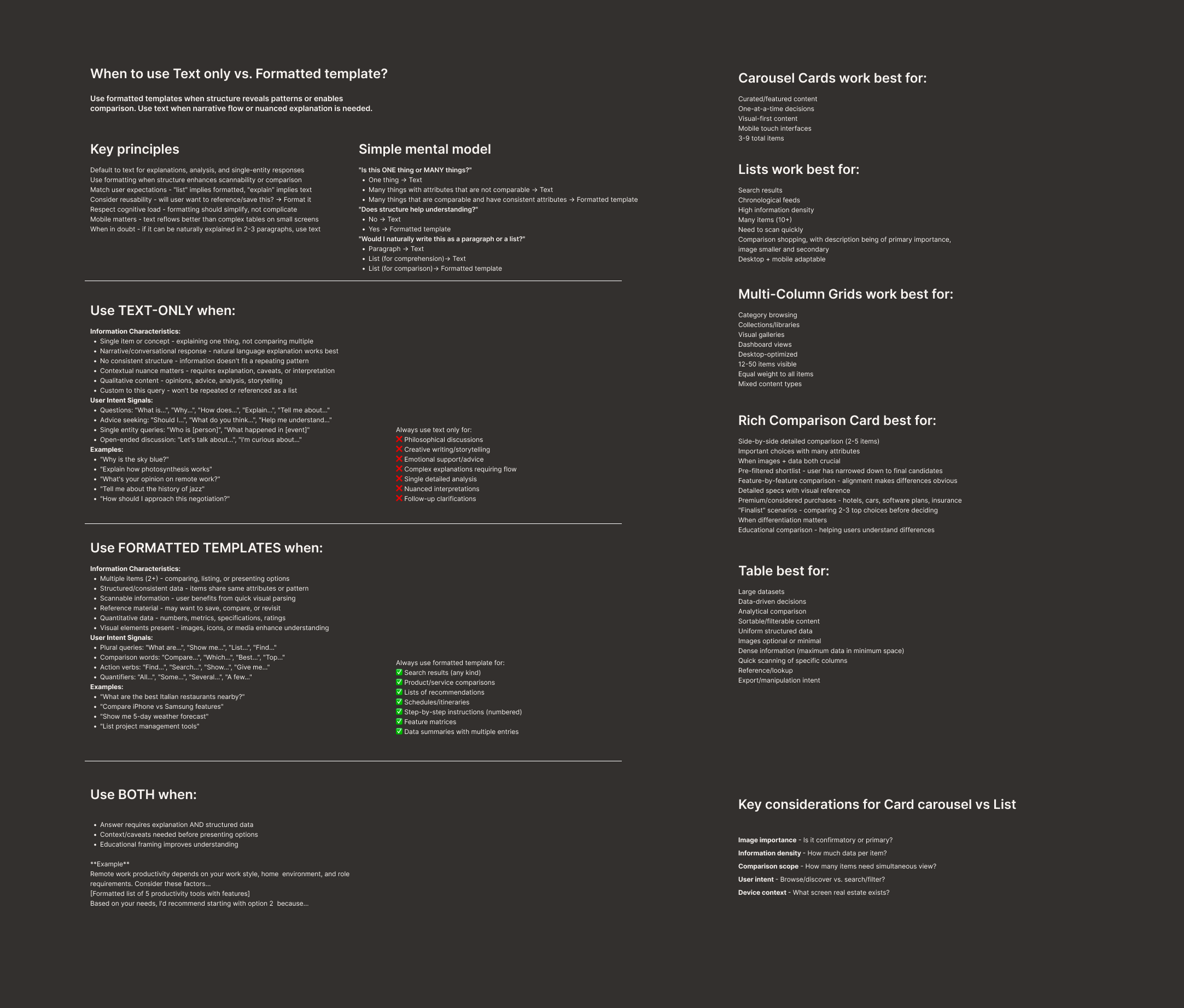
The next step was to teach the system what “good” looks like through curated examples and explicit design standards. We embedded these principles directly into code—pairing design guidance with implementation—to ensure the AI could reliably generate high-quality UI in real prototypes.
This required defining clear rules for when to use specific templates, when structured layouts should replace text-only responses, and how different presentation patterns should be applied based on intent and context.
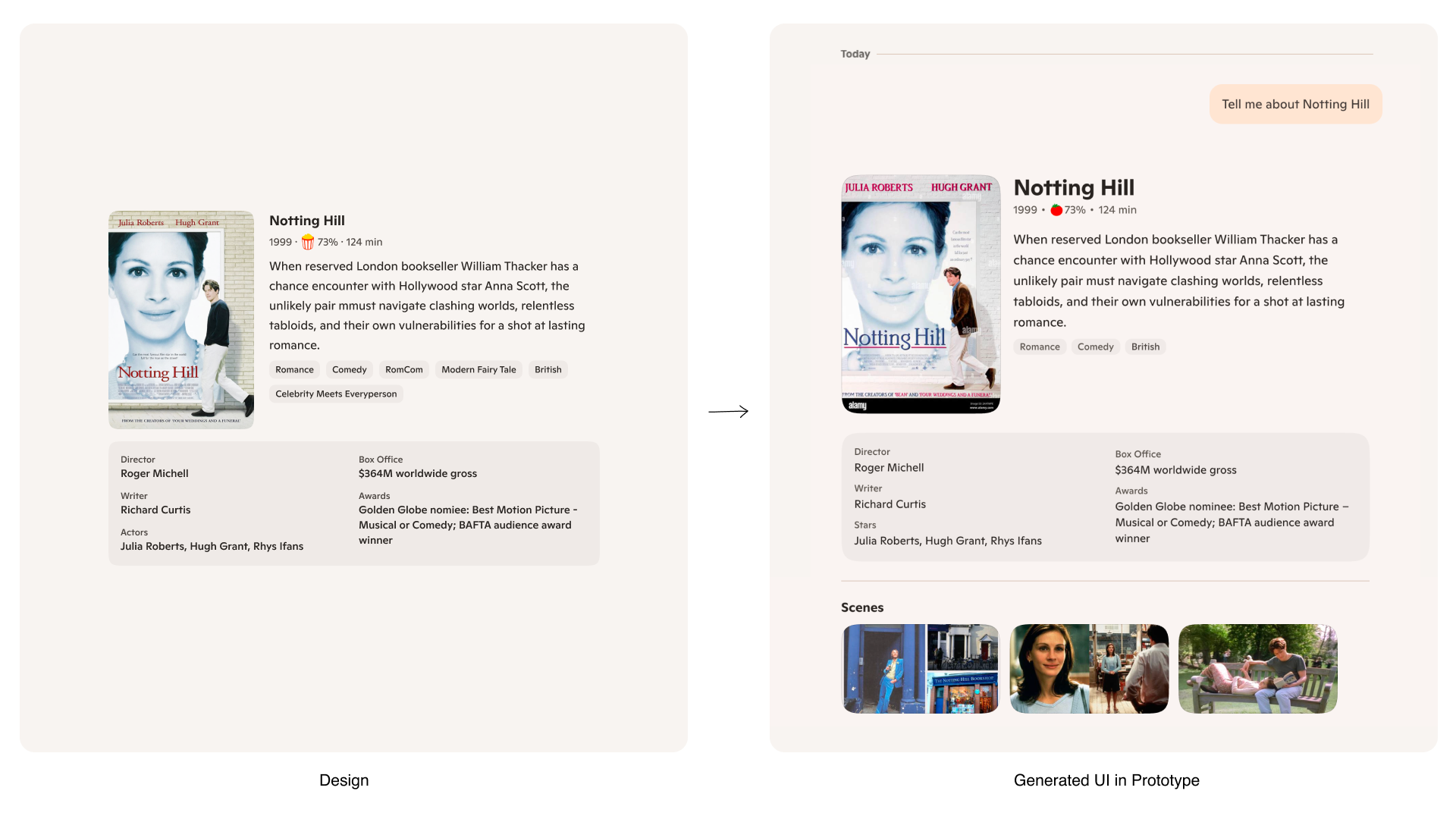
05. Test & Validate
The final step was to test and validate the system in practice. Once the prototype was functional, we shifted from manually designing templates in Figma to generating them directly with AI inside the prototype.
Our goal was to generate at least 50 real examples during the testing phase and evaluate whether the templates meaningfully improved answer quality and usability. Based on these results, we iterated on both the design and implementation—refining layouts, adjusting hierarchy, and tuning pixel-level alignment directly in code to ensure production-ready quality.
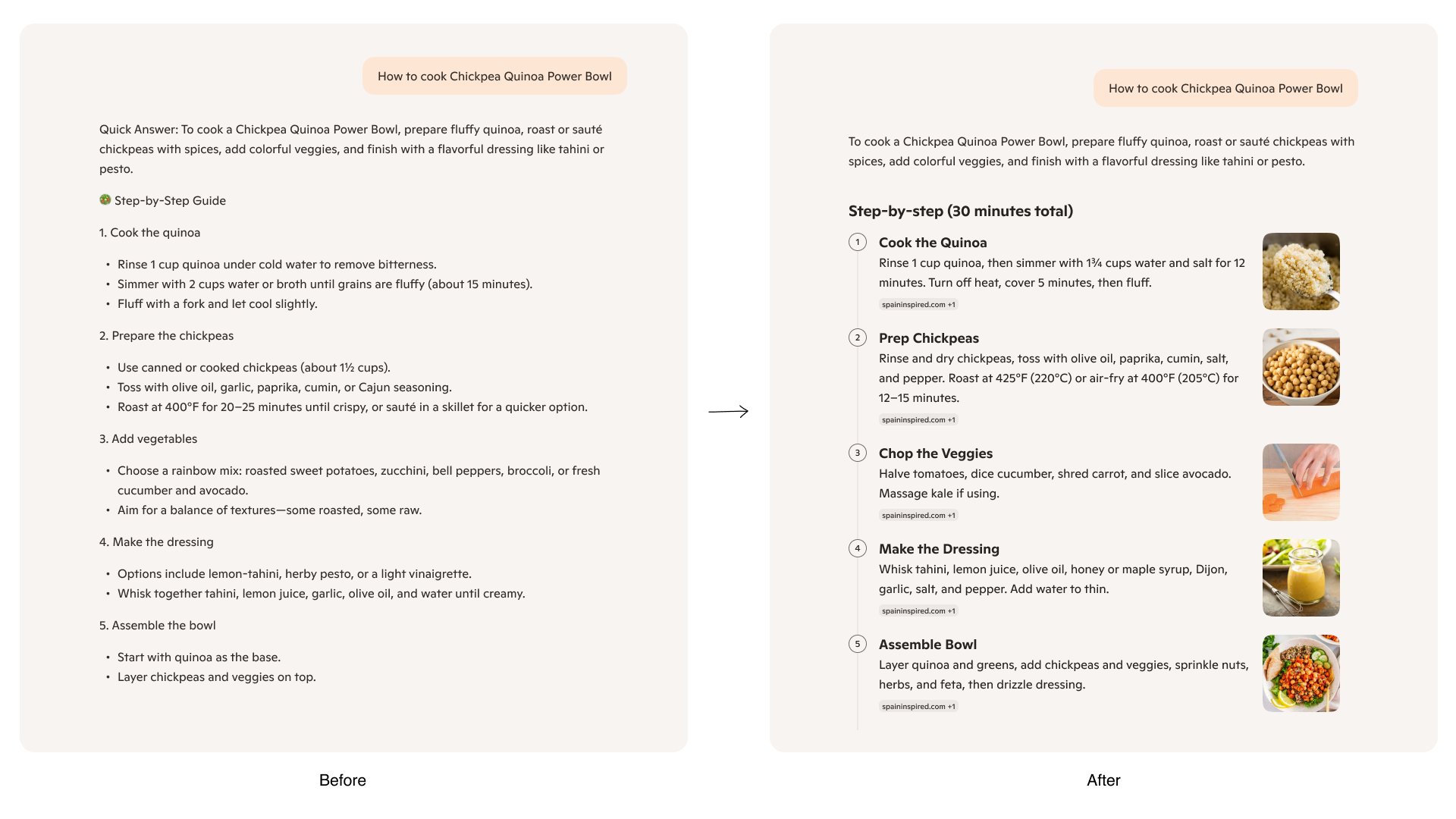
06. Evolve
As we approached delivery of the foundational system, we began exploring what comes next for Generative UI. One key direction is scaling Generative UI across multiple surfaces—ensuring adaptive interfaces meet users where they are and appear precisely when they’re needed.
We’re also investigating motion as a core layer of the experience, using purposeful animation to improve clarity, responsiveness, and delight. Looking ahead, we aim to evolve beyond foundational patterns toward more adaptive and personalized UI—interfaces that respond not only to context, but to each user’s intent, behavior, and preferences to deliver experiences that feel truly tailored.